
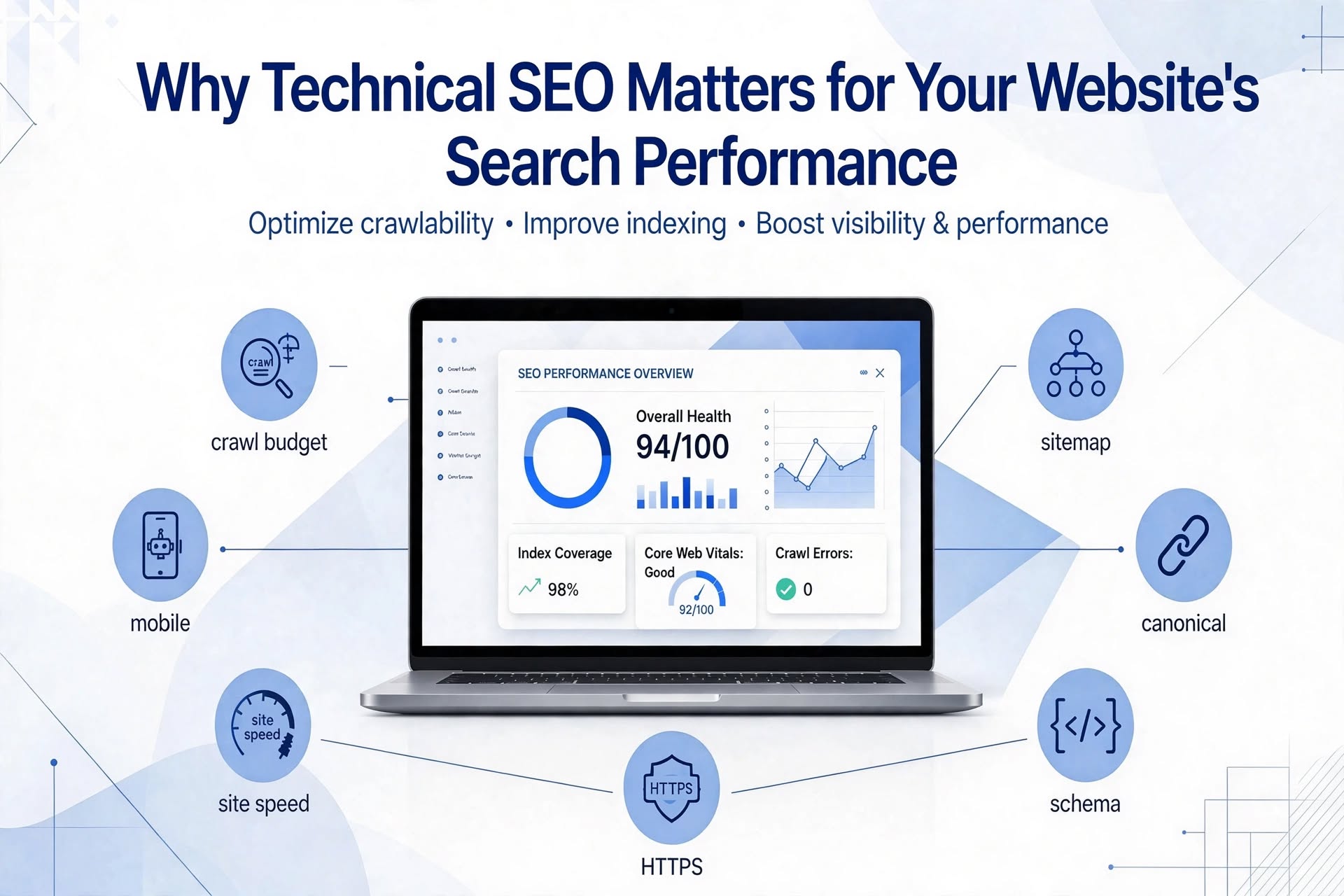
You can publish brilliant content, build quality backlinks, and target the perfect keywords, and still watch your pages sit stubbornly beyond page one. When that happens, the culprit is often hiding beneath the surface: technical SEO.
Technical SEO is the practice of optimizing your website’s infrastructure so search engines can find, crawl, understand, and index your pages efficiently. Think of it as the foundation of a house. Content and links are the walls and décor, but without a solid base, everything above it becomes unstable.
What Is Technical SEO?
Unlike on-page SEO (which focuses on content and keywords) or off-page SEO (which focuses on backlinks and authority), technical SEO deals with how your site is built and how it performs. It covers site architecture, page speed, mobile usability, security, structured data, and indexing controls. The goal is simple: remove every barrier between your content and the search engines that need to evaluate it.
1. It Ensures Search Engines Can Crawl Your Site
Before a page can rank, Google must discover it. Search engine bots follow links and read instructions in files like robots.txt and XML sitemaps. If your robots.txt accidentally blocks important folders, or your internal links leave pages stranded with no path to them, those pages may never be crawled at all.
Large sites also have a crawl budget, which is the number of pages a search engine will crawl within a given timeframe. Wasting that budget on duplicate URLs, broken links, or endless redirect chains means your most valuable pages may be visited less often.
2. It Gets Your Pages Indexed Correctly
Crawling is only half the story. Pages must also be indexed, meaning stored in the search engine’s database and eligible to appear in results. Common indexing problems include accidental noindex tags, duplicate content without canonical tags, and thin or parameter-heavy URLs that confuse bots. A clean indexing setup tells search engines exactly which version of each page deserves to rank.
3. It Improves Page Speed and Core Web Vitals
Speed is a confirmed ranking factor and a major driver of user satisfaction. Google’s Core Web Vitals measure real-world experience through three metrics:
- Largest Contentful Paint (LCP): how quickly the main content loads.
- Interaction to Next Paint (INP): how responsive the page is when users click or tap.
- Cumulative Layout Shift (CLS): how visually stable the page is while loading.
Slow, jumpy pages frustrate visitors and push them back to the search results, which sends negative signals about your site. Compressing images, enabling caching, minimizing JavaScript, and using a content delivery network (CDN) can make a dramatic difference.
4. It Supports Mobile-First Indexing
Google primarily uses the mobile version of your site for indexing and ranking. If your mobile experience hides content, loads slowly, or has tiny tap targets, your rankings can suffer on desktop too. A responsive design, readable fonts, and properly configured viewport settings are no longer optional extras. They are baseline requirements.
5. It Builds Trust Through Security
HTTPS has been a lightweight ranking signal for years, and browsers now warn users away from insecure sites. An expired certificate or mixed-content errors (secure pages loading insecure resources) can scare off visitors and weaken trust. Moving your entire site to HTTPS and keeping certificates current protects both users and your reputation.
6. It Helps Search Engines Understand Your Content
Structured data, also known as schema markup, gives search engines explicit context about your content, such as products, reviews, FAQs, events, or articles. It can unlock rich results like star ratings, FAQ dropdowns, and product details, which stand out in the search results and often earn higher click-through rates.
A logical site architecture helps too. A flat structure, where important pages sit only a few clicks from the homepage, combined with descriptive URLs and clear internal linking, signals which pages matter most.
7. It Prevents Costly Errors and Lost Traffic
Broken links, 404 errors, redirect loops, and duplicate pages quietly erode your performance. A single botched site migration can wipe out years of organic traffic if redirects are not mapped correctly. Regular technical maintenance catches these problems early, before they turn into ranking drops.
Quick Technical SEO Checklist
- Submit an XML sitemap and keep it updated in Google Search Console.
- Review robots.txt to make sure no key pages are blocked.
- Fix broken links and redirect chains using a crawler such as Screaming Frog.
- Use canonical tags to resolve duplicate content.
- Test Core Web Vitals with PageSpeed Insights and monitor them over time.
- Confirm mobile usability and run a full HTTPS check.
- Add relevant schema markup and validate it with Google’s Rich Results Test.
How Often Should You Run a Technical SEO Audit?
For most websites, a thorough audit every three to six months is a healthy rhythm, with monthly check-ins on Google Search Console for crawl errors and indexing issues. Run an extra audit after any redesign, migration, CMS change, or major plugin update, since these are the moments when technical problems most often appear.
Final Thoughts
Technical SEO may not be the most glamorous part of search optimization, but it is the part that makes everything else work. Great content cannot rank if it cannot be crawled, indexed, or loaded quickly. By investing in a strong technical foundation, you give your website the best possible chance to earn visibility, attract qualified traffic, and deliver a smooth experience for every visitor.
Start with a simple audit, fix the highest-impact issues first, and keep monitoring. Small technical improvements compound over time into lasting search performance gains.